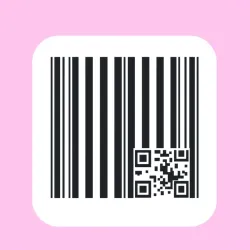
Generate crisp scannable barcodes and matrix codes in fifteen symbologies for retail, logistics and tickets. Control the scale, bar height and the human readable text under the bars. Print ready images in one call.
iVBORw0KGgoAAAANSUhEUgAAAKIAAADMCAYAAADwDHgxAAAAHnRFWHRTb2Z0d2FyZQBid2lwLWpzLm1ldGFmbG9vci5jb21Tnbi0AAAFoElEQVR4nO3YQXIrORADUd//0n8W9iztNktgEy2/jOCOAaKqUxt9/AMK+DhdAPhHRLRARFRARFRARFRARFRARFRARFRARFRARFRARFRARFRARFRARFRARFRARFRARFQQE/Hj4+MRJ9V/Neev7XN53lhQwVKI2LPP5XljQQVLIWLPPpfnjQUVLIWIPftcnjcWVLAUIvbsc3neWFDBUojYs8/leWNBBUshYs8+l+eNBRUshYg9+1yeNxa0uejuPk8R8RREvKkPEc/2IeLFfSLe04eIF/eJeE8fIl7cJ+I9fYh4cZ+I9/Qh4sV9It7Th4gX94l4T59jIq5++KcIcar/U/b5bX4s6E0XR8RZn1WIeHiuU+8S8eJ+2+KIOOuzChEPz3XqXSJe3G9bHBFnfVYh4uG5Tr1LxIv7bYsj4qzPKkQM85QfQNs+iRiGiDOIGIaIM4gYhogziBiGiDOIGIaIM4gYhogziBiGiDOIOJxrd5933ee3+bGgN10cEWd9ViHicC4iEpGIgZ5EvLjftjgizvqsQsThXEQkIhEDPYl4cb9tcUSc9VnlmIi72b640Ac+1b+tDxHD+UQc5seC/triiEjEhj5EJGJFHyISsaIPEYlY0YeIRKzoQ8SHidh2Vvu33W87KYh40b/tfttJQcSL/m33204KIl70b7vfdlIQ8aJ/2/22k4KIF/3b7redFES86N92v+2kIOJF/7b7bSfFuX9I/xi7P+TTsYmbIOLP2MRNEPFnbOImiPgzNnETRPwZm7gJIv6MTdwEEX/GJm6CiD+zfROnPsBT/uBtE/Rt/9Am4qznKYh407tEnPUhYvhdIs76EDH8LhFnfYgYfpeIsz5EDL9LxFkfIobfJeKsz+NFTNEm9Or9Yx/40LvLPY+9vAgRs/2JOISI2f5EHELEbH8iDiFitj8RhxAx25+IQ4iY7U/EIUTM9n9bEVMD787Z/e4qu99t+2F82zMWRMQRRPzqGQsi4ggifvWMBRFxBBG/esaCiDiCiF89Y0FEHEHEr56xICKOIOJXz1gQEUcQ8avn9hdCtAnadv8pwn0717GXFyHibA9EDEPE2R6IGIaIsz0QMQwRZ3sgYhgizvZAxDBEnO2BiGGIONsDEf9/YPOC3jVnlVM/1Fj/7Q8QkYi/6b/9ASIS8Tf9tz9ARCL+pv/2B4hIxN/03/4AEYn4m/7bHyAiEX/Tf/sDRCTib/pvf+EhnBJod89U/+0/pFjSwyHi7N3YXLGkh0PE2buxuWJJD4eIs3djc8WSHg4RZ+/G5oolPRwizt6NzRVLejhEnL0bmyuW9HCIOHs3NlcsKLSg3We1f2oPp3JW80/98Ih40T+1h1M5q/lEJOKWnNV8IhJxS85qPhGJuCVnNZ+IRNySs5pPRCJuyVnNJyIRt+Ss5r+tiKfYLcTuH8DuHCLeBBGJSEQiLkPEYQ4RsxBxmEPELEQc5hAxCxGHOUTMQsRhDhGzHBPx1AfePW+boLvnjeXHgohIxFfyY0FEJOIr+bEgIhLxlfxYEBGJ+Ep+LIiIRHwlPxZERCK+kh8LIiIRX8mPBb2piLtz3lXcVYgYnqttXiISsWJeIhKxYl4iErFiXiISsWJeIhKxYl4iErFiXiL+URFTcz3lpCBi6VxPOSmIWDrXU04KIpbO9ZSTgoilcz3lpCBi6VxPOSmIWDrXU04KIpbO9ZST4piIu9ktUKpPm+inIOLFfSLeAxEv7hPxHoh4cZ+I90DEi/tEvAciXtwn4j0Q8eI+Ee+BiBf3iXgP20VsO7vZLVzq/u6c5XdjQQWSEZGIxwUjIhE/gwokIyIRjwtGRCJ+BhVIRkQiHheMiET8DCqQjIhEBF6CiKiAiKiAiKiAiKiAiKiAiKiAiKiAiKiAiKiAiKiAiKiAiKiAiKiAiKiAiKiAiKiAiKjgP/sG8F3LuDqJAAAAAElFTkSuQmCC
curl --location --request GET 'https://zylalabs.com/api/13171/barcode+and+matrix+code+generator+api/26717/generate+a+code+image' --header 'Authorization: Bearer YOUR_API_KEY'
After signing up, every developer is assigned a personal API access key, a unique combination of letters and digits provided to access to our API endpoint. To authenticate with the Barcode and Matrix Code Generator API simply include your bearer token in the Authorization header.
| Header | Description |
|---|---|
Authorization
|
Required
Should be Bearer access_key. See "Your API Access Key" above when you are subscribed.
|
No long-term commitment. Upgrade, downgrade, or cancel anytime. Free Trial includes up to 50 requests.
(Save 2 months with annual billing 🎉)
Trusted by leading companies




Production grade barcodes from a simple request. Fifteen symbologies cover retail shelf codes, logistics cartons and two dimensional matrix codes for payments and tickets.
Useful for product labels, inventory and asset tags, ticket and voucher generation, and document stamping.
The Generate a Code Image endpoint returns a binary image of the generated barcode or matrix code. This image is print-ready and includes quiet zone padding, ensuring it is scannable and suitable for various applications.
Users can customize their requests using parameters such as symbology type, content for the code, scale, and bar height. These parameters allow for tailored barcode generation to meet specific needs.
The response data consists of a binary image encoded in Base64 format. This image can be directly used for printing or displaying, ensuring easy integration into applications without additional processing.
The endpoint provides information related to the generated barcode or matrix code, including the visual representation of the code itself. It supports various symbologies for retail, logistics, and ticketing.
Users can decode the Base64 image response to display or print the barcode or matrix code. This allows for seamless integration into inventory systems, product labeling, or ticketing solutions.
Typical use cases include generating product labels, creating inventory and asset tags, producing tickets and vouchers, and stamping documents with unique codes for tracking and identification.
The API enforces specific rules for each symbology, ensuring that invalid input returns clear error messages. This helps maintain accuracy and compliance with industry standards for barcode generation.
Accepted parameter values include various symbology types (e.g., UPC, QR Code), numeric or alphanumeric content, scale values (to adjust size), and bar height settings, allowing for flexible code design.
To obtain your API key, first sign in to your account and navigate to the API you want to use. From the API's Pricing section, choose a plan and complete the subscription process. Once subscribed, return to the API page and you will see your API Access Key displayed at the top of the documentation page. You can use this key to authenticate your requests.
You can’t switch APIs during the free trial. If you subscribe to a different API, your trial will end and the new subscription will start as a paid plan.
The free trial lasts for 7 days and allows you to make up to 50 API requests.
No, the free trial is available only once, so we recommend using it on the API that interests you the most. Most of our APIs offer a free trial, but some may not include this option.
Yes. If the API offers a free trial, you will see a "Free 7-Day Trial" option in its Pricing section. The trial lasts for 7 days and allows up to 50 API requests, enabling you to evaluate the API before subscribing to a paid plan.
Zyla API Hub is like a big store for APIs, where you can find thousands of them all in one place. We also offer dedicated support and real-time monitoring of all APIs. Once you sign up, you can pick and choose which APIs you want to use. Just remember, each API needs its own subscription. But if you subscribe to multiple ones, you'll use the same key for all of them, making things easier for you.
You can monitor your API usage through the response headers included with every request:
x-zyla-api-calls-monthly-used: Shows the total number of API requests you have used during the current billing period.
x-zyla-api-calls-monthly-remaining: Shows the number of API requests you have remaining for the current billing period.
Yes, you can cancel your subscription at any time. Simply go to the Pricing section of the API you're subscribed to and click the "Unsubscribe" button.
Please note that upgrades, downgrades, and cancellations take effect immediately. Once your subscription is canceled, access to the service will end immediately, regardless of any remaining API calls in your quota.
Please have a look at our Refund Policy: https://zylalabs.com/terms#refund






 Run in Postman



